
In R&D, piloting now. Launch Q2 2027
Growbud AI
The digital twin of your building.
Every room, machine, and sensor in your building is an item with a place. The sensors, Controller, and cameras on site keep it current. Each item carries its readings, actions, photos, work instructions, and notes, so your team finds them on the equipment, not in a binder or on a radio call.
Three ways in: the app, AR glasses, or a QR label on the item. One record. On your own hardware, on site, air-gapped if you want it.
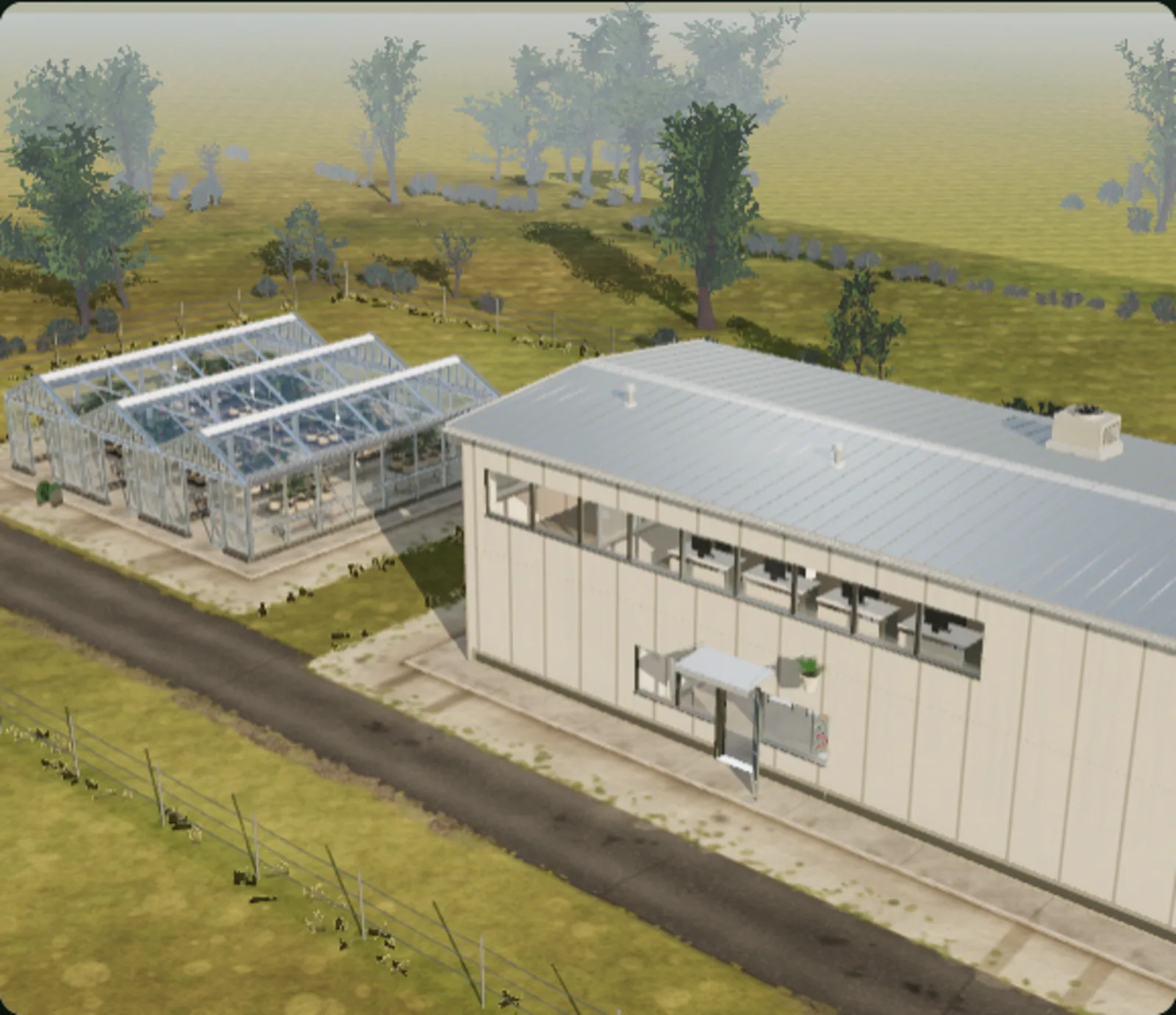
Into the twin
App, glasses, or label. One record.
The twin lives on the Edge Server. The app shows it as the 3D layout above. The glasses load the same model and line it up with the real room, so you select by looking and write by speaking. The QR label on an item opens that item on a phone. Whatever you add in one place is in the others.
- Walk the floor. A card over each zone shows air quality, temperature, and humidity.
- Look at an air handler, a pump, or a panel and see its state, its last action, and its work instruction.
- Say a note. It lands on the item you are looking at, with your name and the time. No clipboard, no radio call.
- Confirm a step by voice. The step is logged on the item's timeline.
- Nobody has to ask for an update. The last note is on the item for the next person, in the glasses, on a phone, or in the app.
- Away from the site, walk the same twin in VR.
The glasses are in development with the rest of Growbud AI. Pilots run on Meta Quest. The app and the QR labels need no headset.
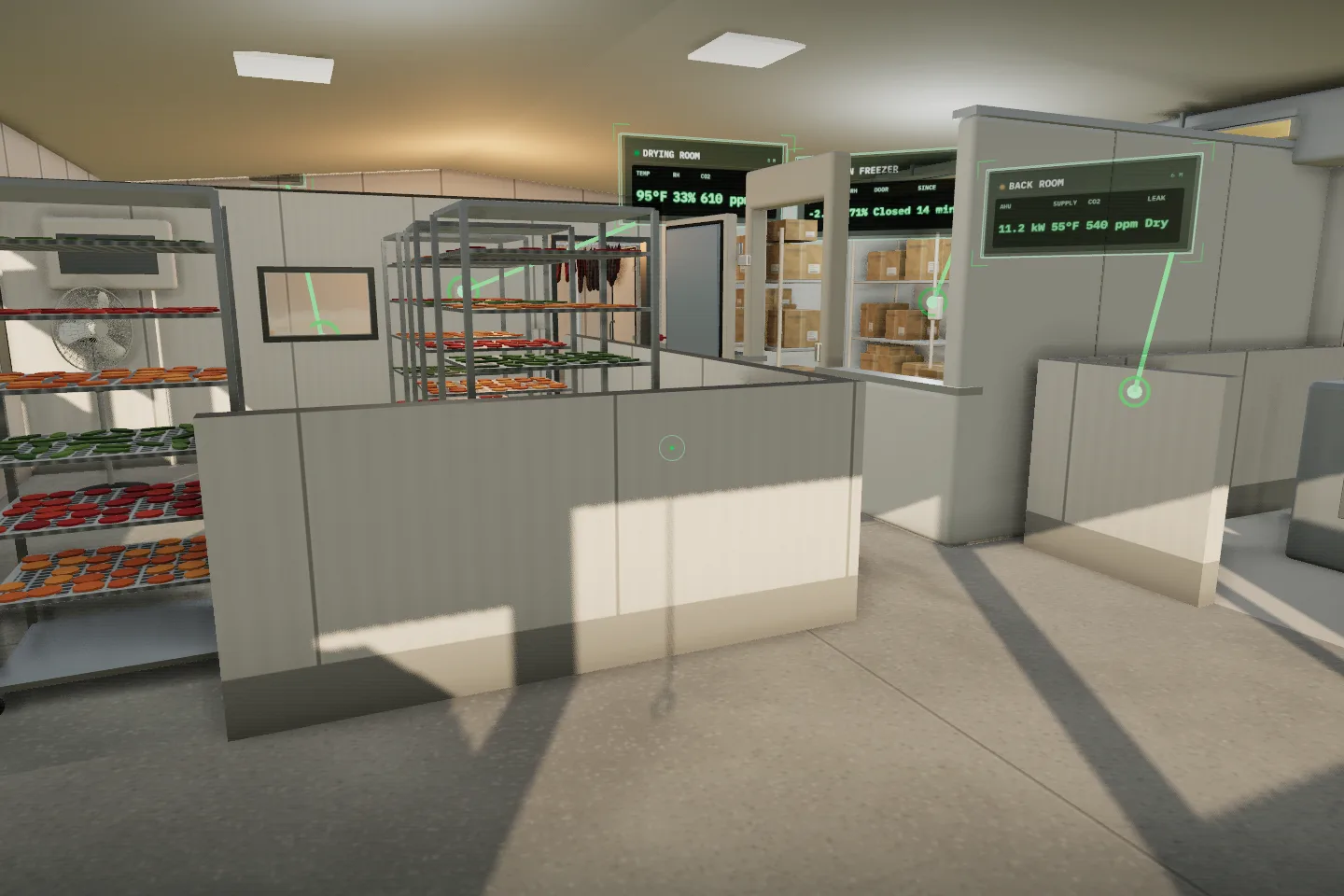
What the twin holds
Every item carries its own record.
An item in the twin is a machine, a room, a door, or a sensor. It carries its readings, its actions, its photos, its work instructions, and its notes on one timeline. Add a note in the glasses, on a phone, or in the app, and it is on the item for the next person.
Items
AHU-2, Pump P-1, Panel LP-2B, the roof unit.
Each item in the twin carries its own instructions and notes. Look at the item in AR, tap it in the app, or scan its code, and you get the same record.
Locations
The mechanical room, the loading dock door, riser 3.
Pin a note or a procedure to a place, with no equipment needed. Keep this door closed after hours. Check this floor drain on Mondays.
QR labels
A printed label on the item or the wall.
Print a code for any item or location. A phone scan opens its instructions, notes, and timeline. No glasses and no login on the floor. Scan to confirm a step or leave a note.
One building, three systems, one twin
- 01HVAC. The engineer hears a belt squeal at AHU-2. Hands on the access panel, they say the note. It lands on the unit with the fan draw and filter pressure beside it.
- 02Plumbing. The floor sensor under riser 3 reported water on Tuesday. The valve note from that visit is on the riser, so the next person checks the joint, not the whole room.
- 03Electrical. Breaker 14 on LP-2B trips again. The alert, the per-outlet load, and the open work order are on the panel. The contractor scans its QR label and sees the same record.
What builds the twin, and what reads it
One model. Seven parts.
Sensing, control, and vision fill the twin. Fusion keeps it current. AR and work notes are how you use it on the floor. Scroll back to any hour on any item and see all of it at once.
The product. Everything else fills it or reads it.
The layout you draw in the Growbud app becomes the twin. Each room, machine, valve, door, and sensor is an item with a position. Readings, actions, photos, instructions, and notes attach to the item, and the twin is the same in the app, in the glasses, and behind every QR label.
Walk the twin in the room, hands free.
Put on the glasses and the twin lines up with the real room. Look at a machine and its readings, its instruction, and its last note are there. Say a note or confirm a step by voice. Your hands stay on the work.
The procedure is on the item, not in a binder.
Attach a work instruction or a note to an item, a location, or a QR label. It shows in the glasses when you look at the item, on a phone when you scan the label, and in the app on the twin. Each completed step is logged on the item's timeline.
Fills the twin with conditions.
Air temperature, humidity, CO₂, VOC, PM2.5, and dew point per zone, so indoor air quality sits in view next to the work. Any Modbus sensor connects. Floor-level leak detection and per-outlet power in storage and process rooms.
Fills the twin with actions.
Valves, vents, dampers, lights, and switched outlets from the Controller. Every action lands on the same timeline as the measurement that prompted it.
Fills the twin with photos.
A weatherproof zoom camera per zone takes photos on a schedule from saved positions. Each photo is taken from the same spot, so you can compare one day with the next.
Keeps the twin current.
Readings, actions, and photos arrive at different times from different devices. Fusion lines them up into one current state for each item, so the twin is never older than its newest reading. Run it on your own hardware or in our managed cloud.
Security matters. Your data stays yours.
We take the security of your operational data and photographs seriously. Whether you run Growbud AI on site or in our managed cloud, we won’t use your data to train AI models unless you explicitly agree.
Growbud AI builds the twin from the sensors and controllers you already have. Cameras add the photo record, and QR labels put every item within reach of a phone.
Cameras
What a camera needs in a wet or cold room.
Many cameras handle one or two of these. Plants, cold stores, and wash-down rooms need all three.
- 01
Take the weather
Mechanical rooms, cold stores, and wash-down rooms expose cameras to spray and condensing humidity. The camera is rated IP66/IP67 and specified to 100% relative humidity, condensing.
- 02
See the whole zone
Position the camera to see across a room, aisle, or work bay. Named presets give each view a fixed place in the model.
- 03
Get close to the detail
31x optical zoom brings a selected area into view, from a valve stem to a storage shelf or an equipment nameplate. Optical zoom preserves detail as you move in for a closer look.
Common cameras fall short. An indoor dome camera can't take the moisture: It is built for a dry ceiling. Condensation and spray damage it. A fisheye "360" camera can't zoom in: It sees the whole room, but small details are only a few pixels wide.
The camera
One camera that does all three.
The evaluation kit includes two cameras, one per zone, with mounting spots chosen for your space. Each uses a sealed network connector, so it stays waterproof once installed.
Each camera has four saved positions in its zone. Growbud AI moves the camera to each one and takes a photo.
- Environmental
- IP66 / IP67, 10-100% RH condensing
- Optical zoom
- 31x
- Pan
- 360 degrees, endless
- Presets
- Up to 300 named positions
- Per zone
- One camera, four saved positions
Where it fits
Commercial buildings first. Plants and cold chain on the same platform.
Readings, equipment actions, and photos for each zone on one timeline. Pick the sensors and camera views your site needs.
Commercial buildings
Building management integration
Offices, warehouses, and mixed-use buildings. Indoor air quality (CO₂, VOC, PM2.5, temperature, humidity), leaks, and per-circuit power sit next to the air handlers, pumps, and panels that act on them. The same points go to your BMS.
Light industrial and process rooms
Plant floor integration
Bring air quality, equipment actions, and notes together for plants, workshops, and process rooms. Track CO, VOCs, particulates, and CO₂ alongside extraction, compressors, and pumps. Each machine carries its own instructions and notes, and the operator reads and writes them hands free.
Cold chain and foodservice
Cold chain integration
Bring conditions, equipment actions, and imagery together for walk-ins, reach-ins, cold stores, and receiving. Follow temperature zone by zone next to compressor draw, so a door left open or an iced coil shows up in the record, and see every site on one timeline.
One twin per site, whatever the site is. You keep the data and photos on site and choose where the twin runs.
Where it runs
On your box, or on ours.
The same platform either way. The difference is who looks after the hardware and where the photographs live.
Fully on-prem
A small computer at your site stores the twin, sensor history, instructions, notes, and photos, with the cameras on their own network. Photos are encrypted and kept for as long as you choose. Nothing leaves the site, and it keeps working when the internet is down. For the most sensitive sites, run it with no connection at all and carry updates in.
Managed cloud
We run the platform and you reach it from anywhere, with updates, backups, and capacity handled for you. Same model, same timeline, same zones, with no hardware to buy or maintain.
Both take scheduled photos from fixed positions instead of recording video, so there is less to store and less to break.
Get involved
Join the pilot or get launch updates
Growbud AI is in active development for commercial buildings, plants, and cold chain. The twin is built from the sensors, controllers, and Edge Server available on this site.
Help shape it. Tell us about one or two zones you want to monitor, and the equipment your team needs instructions on, in your building, plant, or cold room. We’ll work with you to assess a pilot, with hands-on support from our team.
Hear when it’s ready. Interested, but not ready to test? Sign up for a launch notification. We’ll only contact you when Growbud AI is ready.